

How to Play Pokémon Gen 2 Recompilation (Gold, Silver & Crystal + the 3D Voxel Mod)
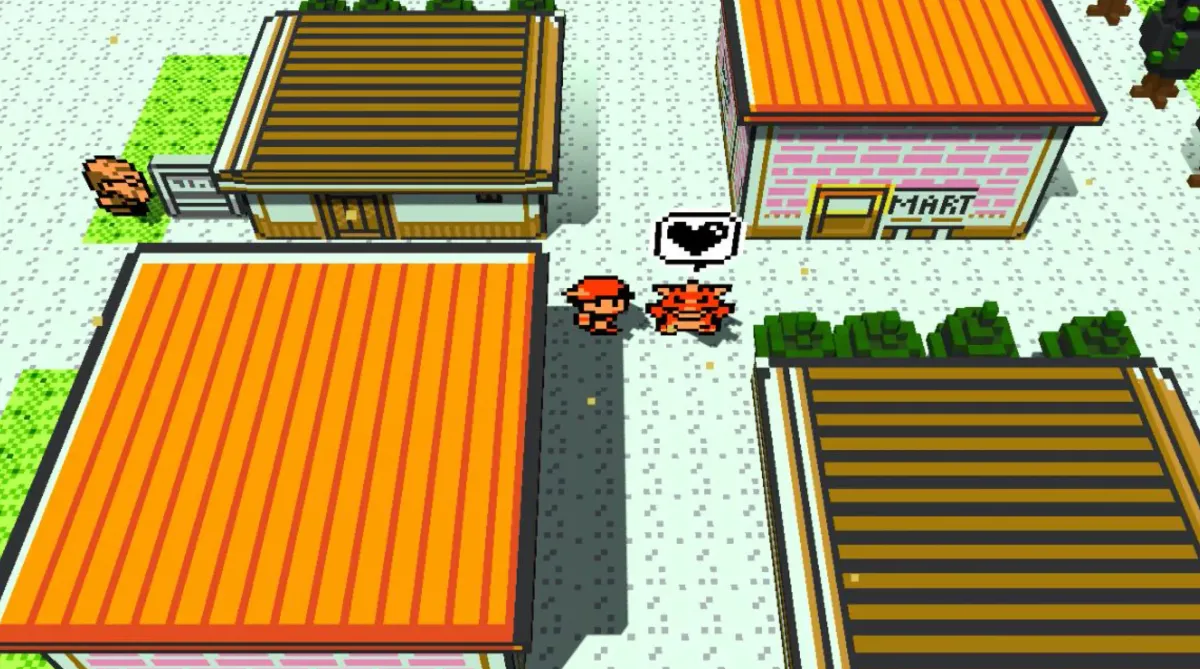
A complete step-by-step guide to setting up pokerecomp (the native Godot recreation of Pokémon Gold, Silver and Crystal) and enabling the built-in Voxel 3D Mod that turns the overworld and battles into a beautiful 3D voxel diorama.
Important legal note
pokerecomp does not include any ROM, Nintendo code, or copyrighted assets. You must supply your own legally obtained ROM of Pokémon Gold, Silver or Crystal. The game extracts the data it needs on first launch and then uses its local cache.
What you’ll need
- pokerecomp
- A legal ROM of Pokémon Gold, Silver or Crystal
- A device that can run the game
- Nothing else for the 3D look — the default mods, including Voxel 3D, come preinstalled
Official sources
- Website: https://pokerecomp.com/
- Download page: https://pokerecomp.com/#download
- GitHub: https://github.com/Decryptu/pokerecomp
- Mods: https://pokerecomp.com/mods
- Discord: https://discord.gg/twkrHkHprk
Step 1 – Download pokerecomp
Go to the official download page:
https://pokerecomp.com/#download
Download the build that matches your platform:
- Windows x86-64 → most Intel and AMD PCs
- Windows ARM64 → Snapdragon PCs, Surface Pro X and other Windows on ARM devices
- macOS → Apple silicon and Intel Macs
- Linux x86-64 → most desktop and laptop Linux systems
- Linux ARM64 → Raspberry Pi, SBCs and ARM handhelds
- Android → phones, tablets and handhelds like AYN Thor
- iPhone & iPad → unsigned
.ipafor sideloading - Nintendo Switch → homebrew build for modded consoles
Install or extract the build for your operating system, then launch pokerecomp.
Step 2 – Import your ROM
- Launch pokerecomp.
- On first boot, select your legally obtained Pokémon Gold, Silver or Crystal ROM.
- The game verifies the ROM and imports the data it needs.
- Once the import is finished, launch the game.
You can use Gold, Silver or Crystal with the same pokerecomp application.
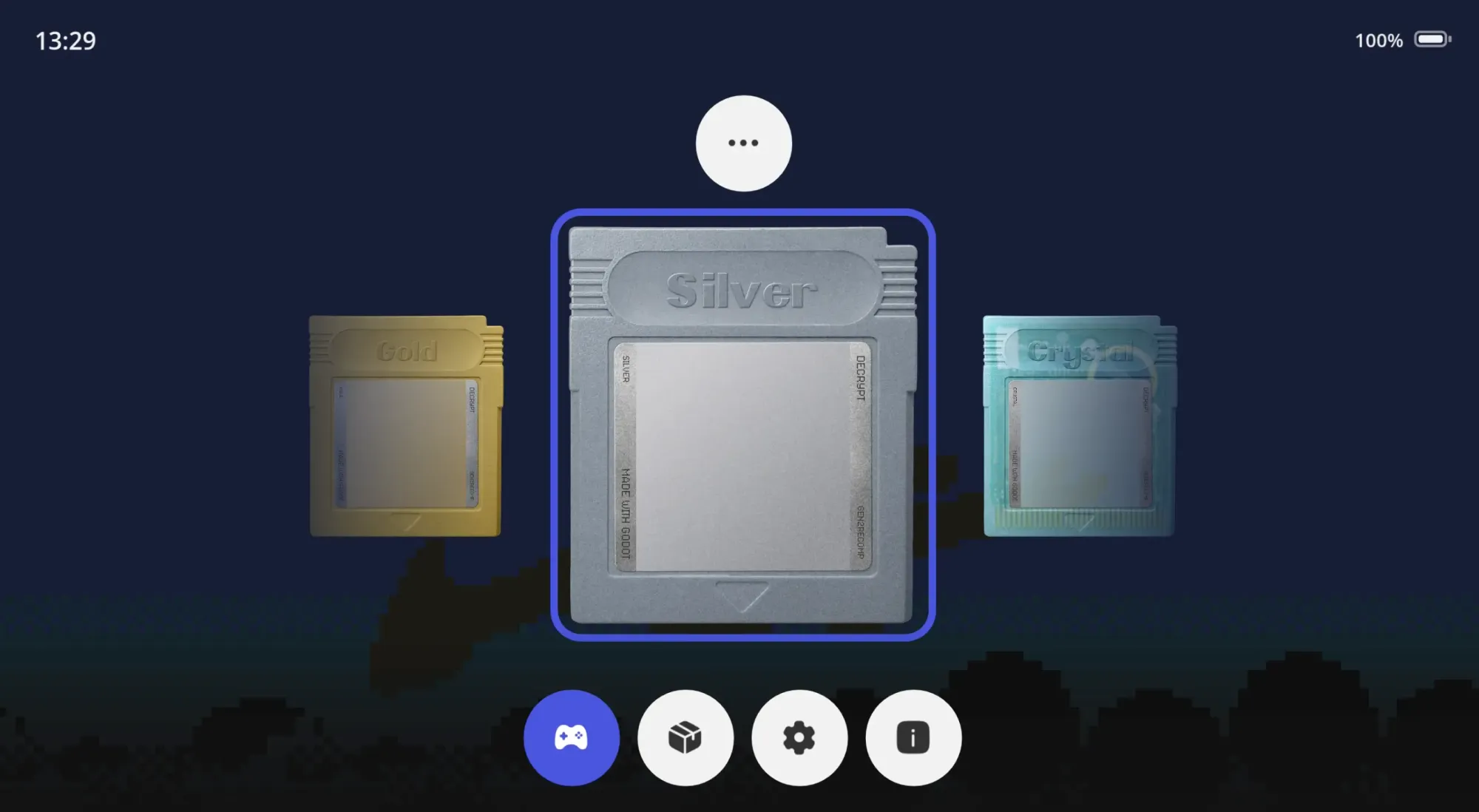
Step 3 – Enable the 3D Voxel Mod
Unlike Gen1Recomp, you do not need to download the voxel mod separately.
The default pokerecomp mods come preinstalled, including Voxel 3D.
- Launch pokerecomp.
- Open the Mods menu.
- Find Voxel 3D.
- Enable it.
- Launch or restart the game if required.
That’s it.
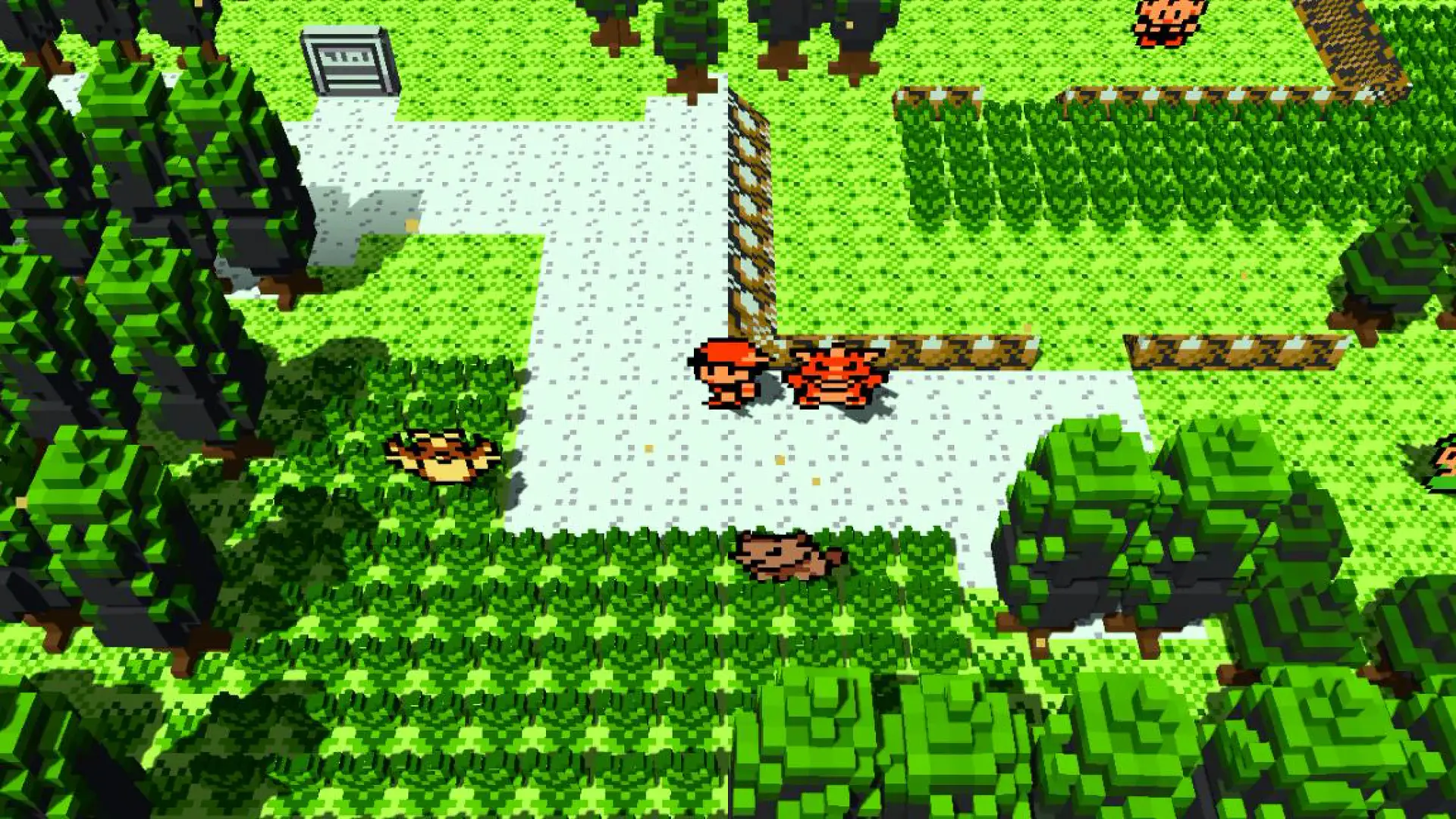
The Voxel 3D mod draws the overworld in 3D using the cartridge's own tiles.
Sky colours follow the in-game clock, water is animated, and the camera can be moved.
Battles happen directly on the map you were standing on, while menus remain 2D and pixel-perfect.
Step 4 – Play in 3D
Once Voxel 3D is enabled, the normal Gold, Silver or Crystal overworld is rendered as a 3D voxel environment.
You still play the same game underneath:
- Same maps
- Same collision
- Same NPCs
- Same events
- Same battles
- Same Pokémon
- Same progression
- Same day/night system
The mod changes the presentation rather than replacing the original game.
You can move the camera around the environment while exploring Johto and Kanto.
Battles also use the 3D environment you were standing in instead of switching to a completely separate flat background.
Built-in mods
Voxel 3D is only one of the mods included with pokerecomp.
The official mod collection includes:
Voxel 3D
Draws the overworld in 3D using the cartridge's own tiles.
Sky colours follow the clock, water is animated, and you can move the camera.
Battles happen on the map you were standing on while menus stay 2D and pixel-perfect.
Randomizer
Randomizes a playthrough from a four-digit seed.
The seed is saved with the game, and the mod checks that important key items and badges remain reachable.
Follower
Lets one of your Pokémon walk behind you.
Choose which Pokémon follows you from its party menu.
You can configure whether it stays outside while riding a bike or travelling over water.
Face it and press A to pet it.
Your follower can also find hidden items.
Overworld Encounters
Wild Pokémon appear directly on the map instead of only through random encounters.
Up to sixteen can appear on a map at once, using that area's normal encounter table.
Pokémon eventually disappear and are replaced by new ones.
Shiny Pokémon never disappear, and Pokémon with very high DVs glow gold.
Hidden Stats
Adds another page to the Pokémon stats screen showing hidden Generation 2 values such as:
- DVs
- Stat experience
Linking Cord
Adds a Linking Cord item that lets trade-evolution Pokémon evolve without trading.
It is sold on the second floor of the Goldenrod Department Store.
Quality of Life
Adds seven optional conveniences, each with its own toggle and disabled by default:
- Field moves without requiring a Pokémon that knows them
- Repel renewal
- EXP from catches
- PC in the Start menu
- Type-effectiveness hints
- Stat stages
- Weather indicator
Shiny Charm
Complete the Pokédex and get your diploma from the GAME designer in Celadon.
He will give you a Shiny Charm.
While it is in your bag, wild Pokémon are three times more likely to be shiny.
Catch Combo
Adds a Catch Combo system inspired by the Let's Go games.
Catch the same species repeatedly and your shiny odds increase.
After every catch, the game displays your current combo.
Installing more mods
You can browse additional mods here:
The mod page lets you download mods directly or add a mod source and browse its catalog inside the game.
The official Decrypt mod source is:
https://raw.githubusercontent.com/Decryptu/pokerecomp-decrypt-mods/main/index.json
Source repository:
https://github.com/Decryptu/pokerecomp-decrypt-mods
Mods published by pokerecomp's creator are marked as Verified.
Community mods remain clearly labeled by their source.
Performance tips
The standard 2D game is lightweight, but Voxel 3D requires more GPU power because the world is being rendered as a real 3D scene.
If performance is lower on phones, handhelds, Raspberry Pi or older computers:
- Reduce the game resolution
- Reduce graphical settings
- Disable unnecessary mods
- Switch back to the normal 2D renderer
Troubleshooting
The game does not accept my ROM
Make sure you are using a supported Pokémon Gold, Silver or Crystal ROM.
The filename does not matter — pokerecomp identifies the actual cartridge data.
Do I need the ROM every time?
No.
After importing the cartridge, pokerecomp stores the data it needs locally.
Does pokerecomp include Pokémon Gold, Silver or Crystal?
No.
You must provide your own legally obtained ROM.
Is this an emulator?
No.
pokerecomp is a native Godot reimplementation of Pokémon Gold, Silver and Crystal.
Do I need to download Voxel 3D separately?
No.
Voxel 3D comes preinstalled with the default pokerecomp mods.
Just enable it from the Mods menu.
Can I play without mods?
Yes.
You can play Gold, Silver or Crystal normally with the original 2D presentation.
All mods are optional.
Extra resources
- Website: https://pokerecomp.com/
- Download page: https://pokerecomp.com/#download
- GitHub: https://github.com/Decryptu/pokerecomp
- Mods: https://pokerecomp.com/mods
- Official mod source: https://github.com/Decryptu/pokerecomp-decrypt-mods
- Discord: https://discord.gg/twkrHkHprk
Quick summary
- Go to https://pokerecomp.com/#download
- Download the build for your operating system.
- Launch pokerecomp and import your legal Pokémon Gold, Silver or Crystal ROM.
- Open the Mods menu.
- Enable the preinstalled Voxel 3D mod.
- Explore Johto and Kanto in 3D.
No emulator setup and no separate voxel mod download are required.
Just download the correct build for your OS, import your ROM, enable the mods you want, and play.
Happy training!


