

How to Play Pokémon Red, Blue & Yellow with Gen1Recomp + the 3D Voxel Mod
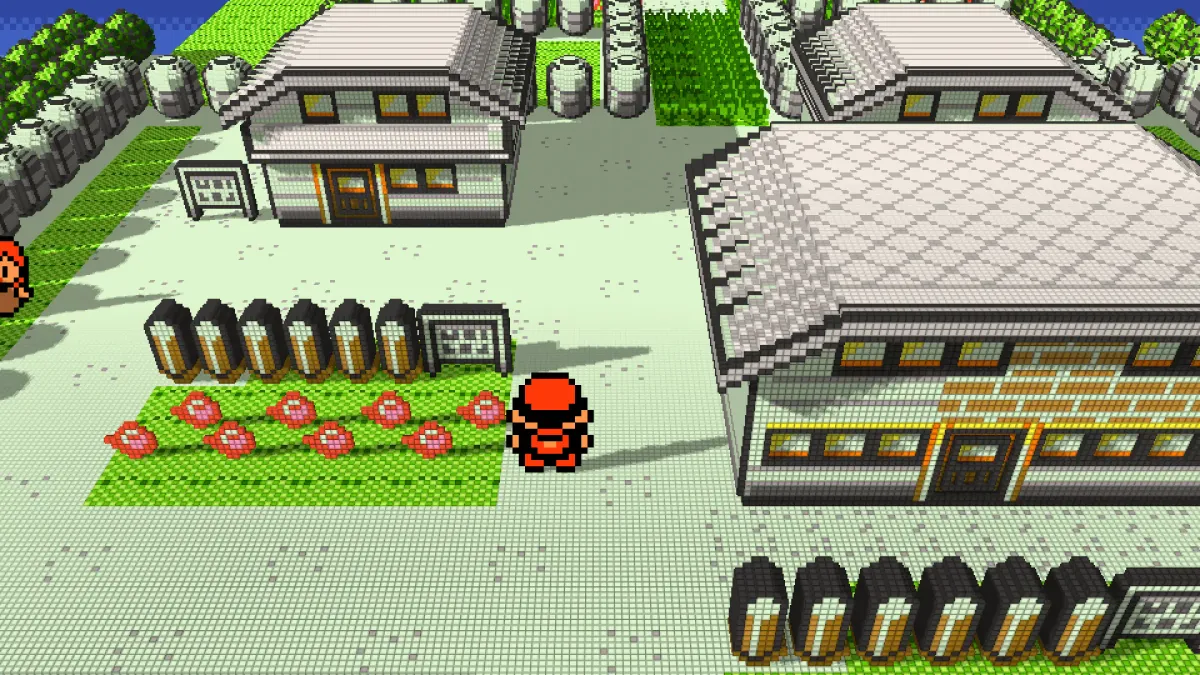
A complete step-by-step guide to setting up Gen1Recomp (the native LÖVE2D recreation of Pokémon Red, Blue and Yellow) and the optional Dramatic Shape Voxel Mod that turns the overworld and battles into a beautiful 3D voxel diorama.
Important legal note
Gen1Recomp does not include any ROM, Nintendo code, or copyrighted assets. You must supply your own legally obtained US ROM of Pokémon Red, Blue or Yellow. The game extracts the data it needs on first launch and then discards the ROM.
What you’ll need
- Gen1Recomp (the base engine)
- A legal US ROM of Pokémon Red, Blue or Yellow (1 MiB
.gb/.gbc) - Dramatic Shape Voxel Mod (optional but highly recommended for the 3D look)
- A device that can run the game (Windows, macOS, Linux, Android, iOS, or supported handhelds)
Official sources only
- Gen1Recomp GitHub: https://github.com/bryanthaboi/gen1recomp
- Releases: https://github.com/bryanthaboi/gen1recomp/releases
- Discord (support, announcements, mods): https://bois.icu
- Voxel Mod GitHub: https://github.com/scottcandy34/DramaticShapeVoxelMod-latest
- Voxel Mod Releases: https://github.com/scottcandy34/DramaticShapeVoxelMod-latest/releases
Warning: The website gen1recomp.com is not affiliated with the project. Do not download anything from it. Always use the official GitHub links above.Step 1 – Download Gen1Recomp
- Go to the latest Gen1Recomp release.
- Download the build that matches your platform:
- Windows →
.zipor executable - macOS →
.zip/.app - Linux →
.zipor AppImage-style package - Android →
.apk - iOS →
.ipa(sideload with AltStore) - Other handhelds / Switch → dedicated packages when available
- Windows →
- Extract / install the package.
Current version at time of writing: v0.2.32 (check the releases page for the newest).
Step 2 – Import your ROM
- Launch Gen1Recomp.
- On first boot you will be prompted to select a ROM (or you can drag & drop the file onto the window).
- Only the canonical 1 MiB US versions are accepted. The importer verifies the SHA-1 hash:
| Game | SHA-1 |
|---|---|
| Red | ea9bcae617fdf159b045185467ae58b2e4a48b9a |
| Blue | d7037c83e1ae5b39bde3c30787637ba1d4c48ce2 |
| Yellow | cc7d03262ebfaf2f06772c1a480c7d9d5f4a38e1 |
- Import takes a few seconds. The ROM is verified, data is extracted, and the ROM is then released from memory. Future launches use the private cache and no longer need the ROM file.
You can import Red, Blue and Yellow side-by-side.
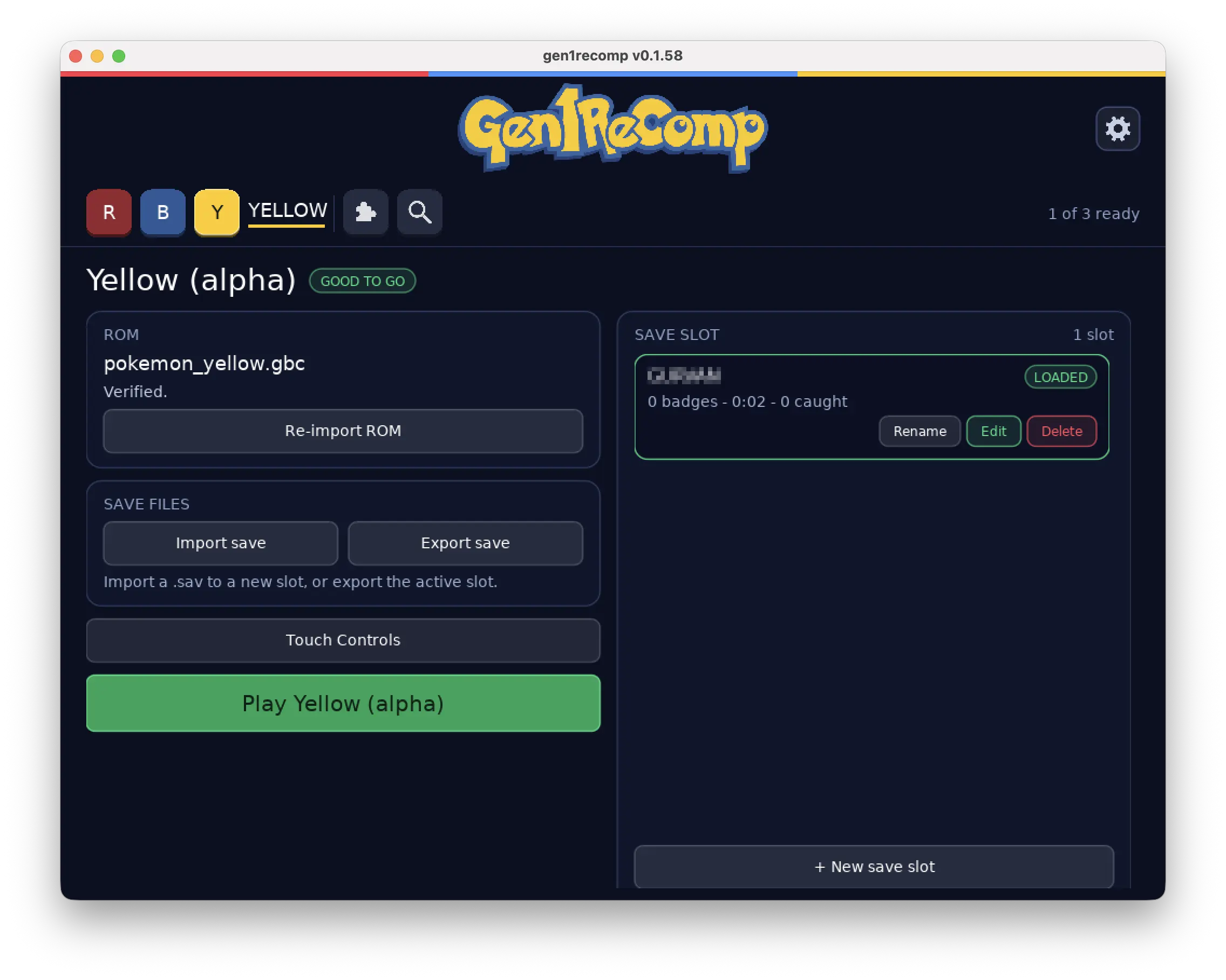
Step 3 – Install the 3D Voxel Mod (Dramatic Shape)
- Go to the latest Dramatic Shape Voxel Mod release.
- Download the
.zipfile (do not extract it). - In Gen1Recomp press F10 (or open the Mod Manager from the menu).
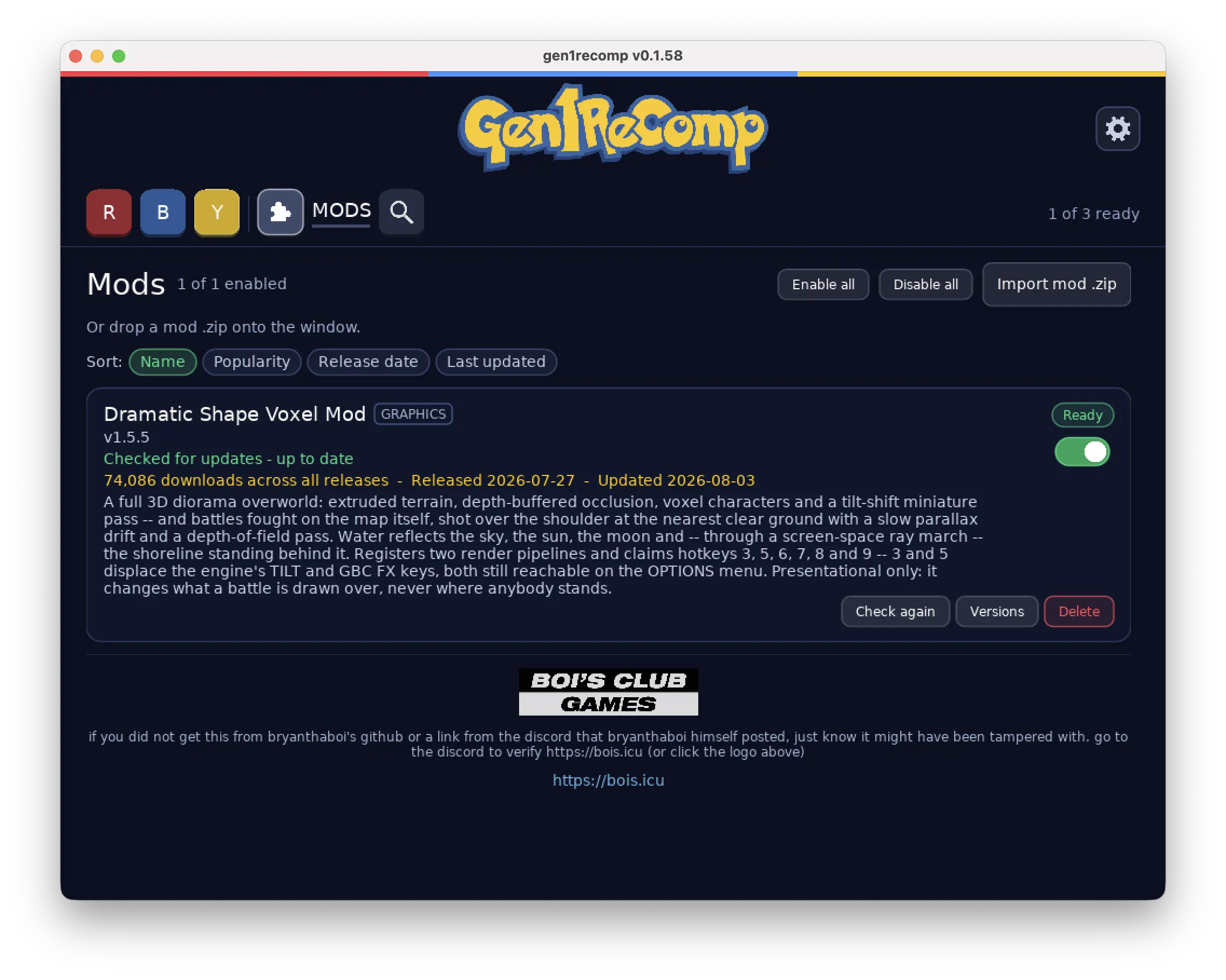
- Choose Import mod .zip and select the downloaded Voxel Mod archive.
- Enable the mod and restart the game when prompted.
Current version at time of writing: v1.9.0.
The mod is purely presentational — it does not change gameplay, collision, scripts or battle logic. It only changes how the world and battles are drawn.
Step 4 – Enable and configure the 3D look
Once the mod is enabled you will find new options in the OPTIONS menu and several hotkeys.
Main Voxel controls (also available as OPTIONS rows)
| Key / Control | Effect |
|---|---|
| 3 or VOXEL | Cycle camera pitch: OFF → 15° → 35° → 50° → 75° → 1ST (first-person) → 3RD (third-person) → OFF |
| SELECT | Same as key 3 (useful on devices without number keys) |
| 5 or V-GRID | Toggle one-pixel wireframe on every voxel |
| 6 or T-SHIFT | Tilt-shift / miniature blur: OFF → 1 → 2 → 3 → OFF |
| 7 or V-CURVE | World curvature: OFF → 1 → 2 → 3 |
| 8 or 3D-BTL | Fight on the map instead of the classic white field (on by default) |
| 9 or WATER | Water reflections: FULL / SKY / OFF |
| AA | Anti-aliasing: OFF / 2X / 4X (expensive – leave off on weaker devices) |
| DAYTIME | SYNC / DAY / NIGHT / DUSK / DAWN / CYCLE |
| BACK SPRITES | Keep your Pokémon on the classic battle menu while the foe stands on the map |
| VR | PC VR via OpenXR (SteamVR / Oculus / WMR) – Windows only |
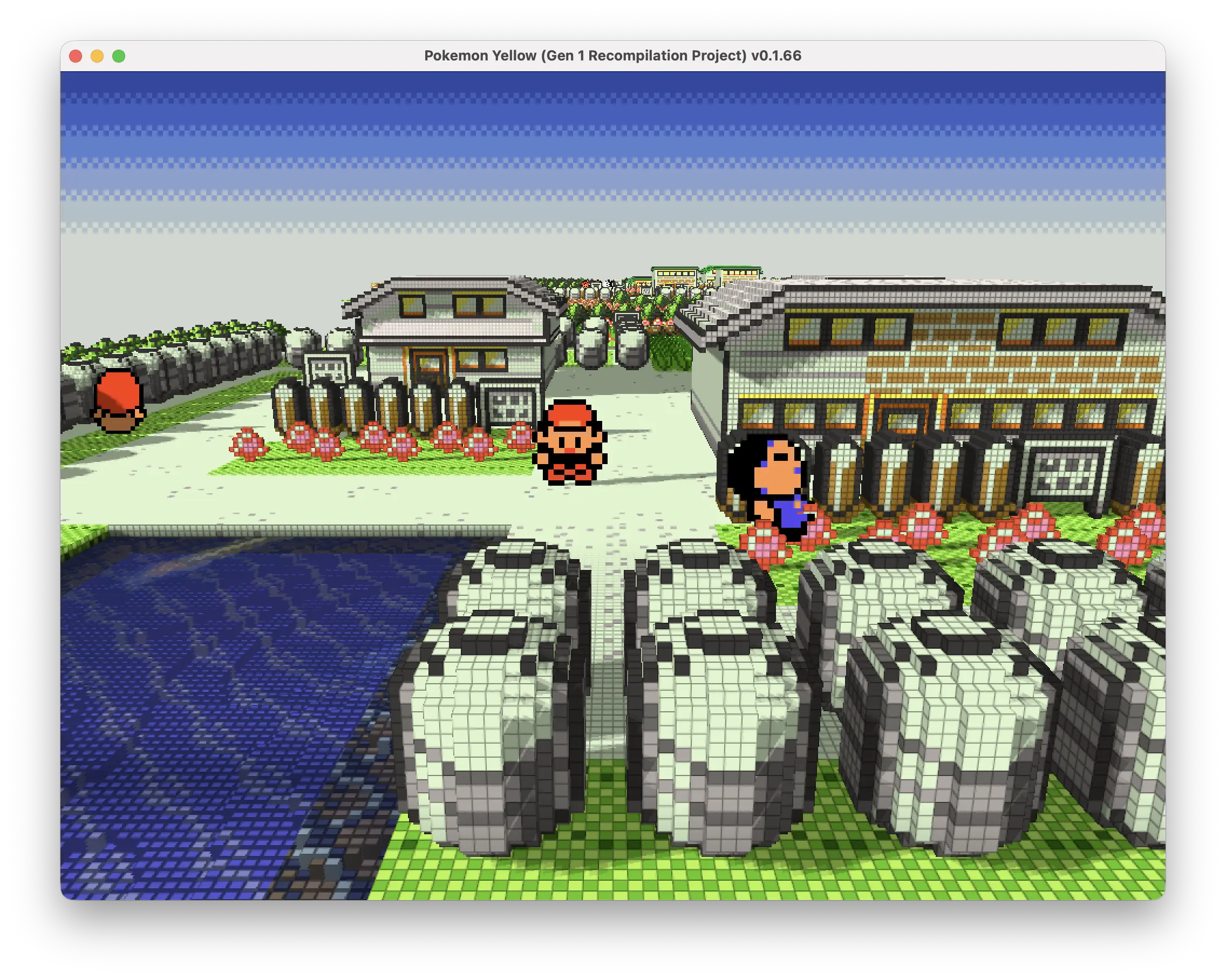
First-person & Third-person (experimental)
When VOXEL is set to 1ST or 3RD:
- Movement becomes continuous and camera-relative (you can walk in any direction).
- Mouse / right stick / touch drag = look
- Left stick / D-pad / arrow keys = walk relative to camera
- Q / E, mouse wheel, pinch or stick click = zoom the boom (3RD only)
Collision, warps, ledges, encounters and scripts still work normally.
Battle camera (when 3D-BTL is on)
- Right stick / mouse / touch drag = orbit and raise/lower the camera
- Wheel / Q / E / pinch = zoom the lens
- Your preferred angle is remembered for the next battle
Default Gen1Recomp controls
| Action | Keyboard | Controller |
|---|---|---|
| Move | Arrow keys or WASD | D-pad / left stick |
| A | Z, Enter or Space | A |
| B | X or Backspace | B |
| Start | Escape | Start |
| Select | Tab or Shift | Back / Select |
All of these can be rebound under OPTIONS → CONTROLS.
Useful hotkeys
| Key | Action |
|---|---|
| - / = | Zoom out / in (also mouse wheel) |
| 1 | Cycle game speed |
| 2 | Cycle COLORS |
| 4 | Cycle ZOOM levels |
| F1 | Quick save |
| F2 | Quick load |
| F10 | Open / close Mod Manager |
Performance tips
- On lower-end devices or Android, go to OPTIONS → PERFORMANCE and choose BALANCED or LOW.
- The Voxel Mod is heavier than the base game. Zoom in and use landscape orientation on handhelds for better frame rates.
- Anti-aliasing (AA) is the most expensive option — leave it off unless you have a strong GPU.
- First-person / third-person and FULL water reflections also cost performance.
Rulesets (optional)
Under OPTIONS → RULESET you can choose:
- gen1_faithful (default) – keeps the original Gen 1 quirks (1/256 miss, Focus Energy bug, etc.)
- modern_clean – removes the most notorious bugs while keeping the same damage formulas
Troubleshooting
| Problem | Solution |
|---|---|
| ROM not accepted | Make sure it is the exact 1 MiB US version and the SHA-1 matches the table above. |
| Mod does not appear | Re-download the .zip, import again via F10, and restart the game. |
| Poor performance with Voxel Mod | Lower the Performance tier, disable AA, reduce water quality, or zoom in. |
| Windows Defender warning | Known false positive. Verify the SHA-256 checksums published with each release. |
| Black screen / crash after update | Re-import your ROM or delete the generated cache and import again. |
Extra resources
- Project Wiki (modding tutorials, architecture, etc.): https://github.com/bryanthaboi/gen1recomp/wiki
- Mod Index: https://github.com/bryanthaboi/gen1recomp-mod-index
- Discord: https://bois.icu – the best place for help and the latest news
- YouTube (bryanthaboi): search for the latest update videos
Is there a Gen 2 version?
Yes — a Gen 2 recompilation project (Gold, Silver & Crystal) is already in development.
You can follow progress here:
It is still a work in progress. No public build is available for download yet.
Quick summary
- Download the latest Gen1Recomp release for your platform.
- Launch it and import a legal US Red / Blue / Yellow ROM.
- Download the Dramatic Shape Voxel Mod
.zip. - Press F10 → Import mod → Enable → Restart.
- Press 3 (or use the VOXEL option) to turn on the 3D diorama.
- Explore Kanto in glorious voxels!
Enjoy the adventure.
Happy training!


